
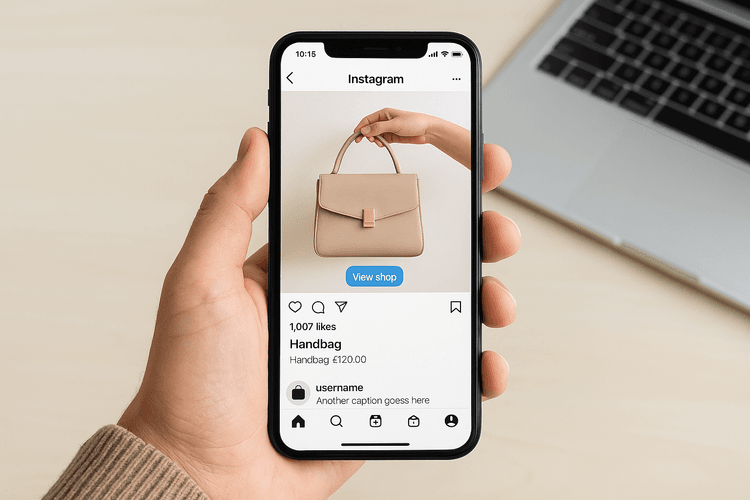
Instagram and e-commerce are now a well-established combination.
Since Instagram launched its dedicated e-commerce shop section (in the summer of this year), an average of 130 million users per month interact with shopping tags.
Not enough for you? 70% of the users of this social network use their smartphones to make purchases online and are, therefore, predisposed to this type of action!
What Instagram shop is for and how to set it up

Basically, with Instagram shop you can manage your product catalog linking it to your e-commerce directly from your Instagram profile, or you can create your own catalog from scratch.
Another great feature of Instagram shop is the ability to tag products in the reference section (the shopping tags), the shop icon at the bottom left in the post for clarity.
In addition to your posts, the shopping tag will also be possible in your stories.
Those who click will be able to view prices and products and proceed to the website.
Be careful not to overuse this feature: you can only tag 5 products per post and, in carousels, a maximum of 20!
Obviously, the actual purchase will take place on your website, which can be viewed via the "View on Website" button.
Moreover, with the checkout feature, you won't ever make the user leave Instagram, giving them the opportunity to make the purchase directly within the social network (a feature that unfortunately is available in other countries but not in Italy, as Facebook Pay, Facebook's payment system, has not yet launched there).
Warnings and types of products sellable on Instagram: not all product types can be sold on the social platform.
Products for adults and digital services such as courses and video courses are excluded.
How to set up your product catalog in Instagram shop

To set up the Shop button on Instagram, first, you must have a business account.
To do this, just follow these steps:
- Go to the menu at the top right, and click on settings;
- Now find the account section and choose the option "switch to a professional account".
Once you've switched from a private to a business account, you will enjoy many benefits related primarily to statistics and additional features, including the ability to set up the shop button on your Instagram profile.
To add the Instagram shopping button and configure it correctly, you will need to:
- Go to the menu at the top right and select "Settings";
- This time you will go to the company section and select "configure shopping";
- At this point, all you need to do is choose the reference page and the job is done.
Attention: the Instagram page must be linked to the Facebook page, because all products will be imported from Business Manager. Let's see the procedure in detail.
As mentioned, the operation to be performed will be to set up and synchronize your e-commerce catalog on Instagram or create a new catalog from scratch.
To do this, it will be necessary to have a strong connection between Instagram and Facebook.
How to synchronize your product catalog or create one from scratch
If you don't want to use your website's catalog or you don't want to synchronize them, it will be necessary to create an Excel file (with a csv extension) that will allow the system, once queried, to digest the data and make it available for Zuckerberg's social networks.
Now let's see the standard procedure for importing and managing product catalogs on Business Manager to set up your products on Instagram Shopping.
- Go to the "People and Assets" section;
- Click on "Product Catalogs";
- Choose from various settings whether to create a new catalog ("Add a New Product Catalog") or set it up through other platforms;
- Click on "Create New Catalog" and start filling in the section with name, type, and other characteristics of both the catalog and individual products (created from scratch or imported via csv or various cms databases).
Those who are already familiar with the Facebook catalog will have an advantage; those who do not use it can synchronize their products within the suite dedicated to Facebook ads, the Business Manager.
From the catalogs section, you can also customize the homepage of your Instagram shop with colors, details, and fonts, making it dynamic and adaptable to individual customer needs.
This is only possible thanks to the help of the Facebook pixel, which, if installed on your site, will give you the ability to leverage the interests of your target audience.
The operations to import catalogs vary slightly from CMS to CMS.
How to import your product catalog into Instagram shop: Framework360
Framework360 is the most innovative and comprehensive Italian platform for everything related to digital marketing.
With it, you can create and manage your own personal e-commerce site, through its namesake plugin, and moreover, you can extend your sales activity to the shopping section of Instagram quickly and easily, by directly linking your product catalog from your sales site to the dedicated section of the Business Manager, the tool that Facebook provides to companies for planning their ads, which you must activate in advance to perform this operation.
Then, through the e-commerce plugin inherent to the platform we discussed earlier, you will be able to export the catalog from Framework360 in CSV format, and import it onto the Manager; at that point, the products can be linked to your seller profile posts on Instagram.
Try Framework360
Instagram shopping is quickly becoming a credible and very interesting alternative for selling online, so we advise you to take advantage of it, rapidly increasing sales and visibility for your business.
You can do it too, you just need a lot of commitment and an excellent marketing and sales platform.







